Free
Social Media Content Planner
Plan your posts without the scramble.
Price
Free
The problem
Posting gets inconsistent when ideas live in your head and deadlines sneak up. This Notion planner keeps ideas, drafts, and publish dates in one place, so you can see what is going out next. It does not post to the networks for you.
Who it's for
Small business owners, freelancers and creators who run their own social media.
What's inside
- Pages: Dashboard (home), Platforms, Analytics, and a New Content template that defaults to Idea.
- Content Table: Name, Status (Idea, Drafting, Scheduled, Published), Platforms, Content Type (Post, Blog, Video, Newsletter), Priority (Low, Medium, High), Author (person), Publish Date, and a button named Publish Now.
- Platforms: Name, URL, Total Content (a count rollup). You add the platform rows yourself.
- 19 views and no charts. The main page has Publish Today (Go Live), Overdue, a calendar, Working, Scheduled, and Published, plus status boards for This Month and All Time.
- Platforms has a gallery, a table, and status boards by platform. Analytics tables: Published by Platform, and Published by Author.
- Buttons, by name: Publish Now, and 5 other buttons.
Screenshots
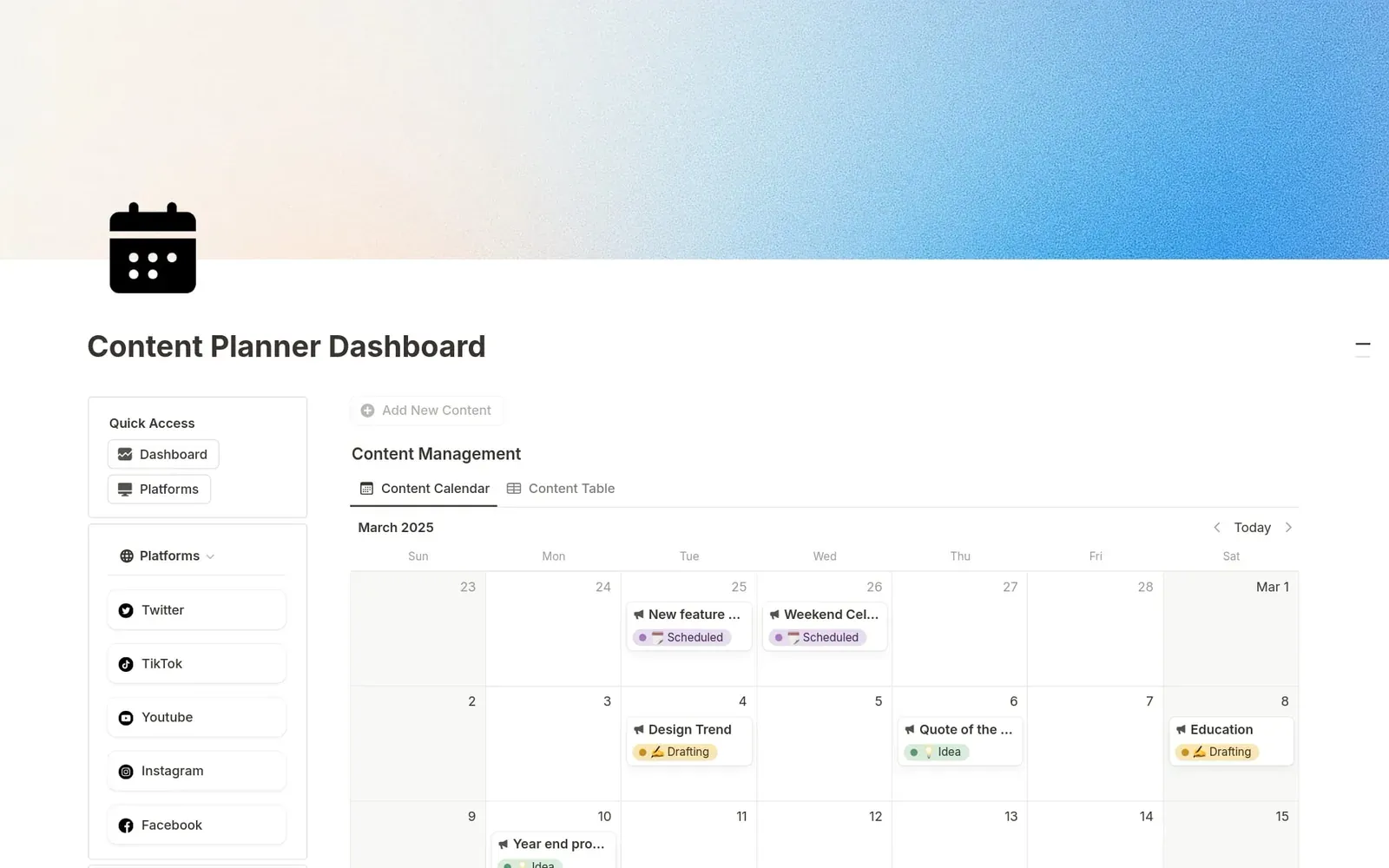
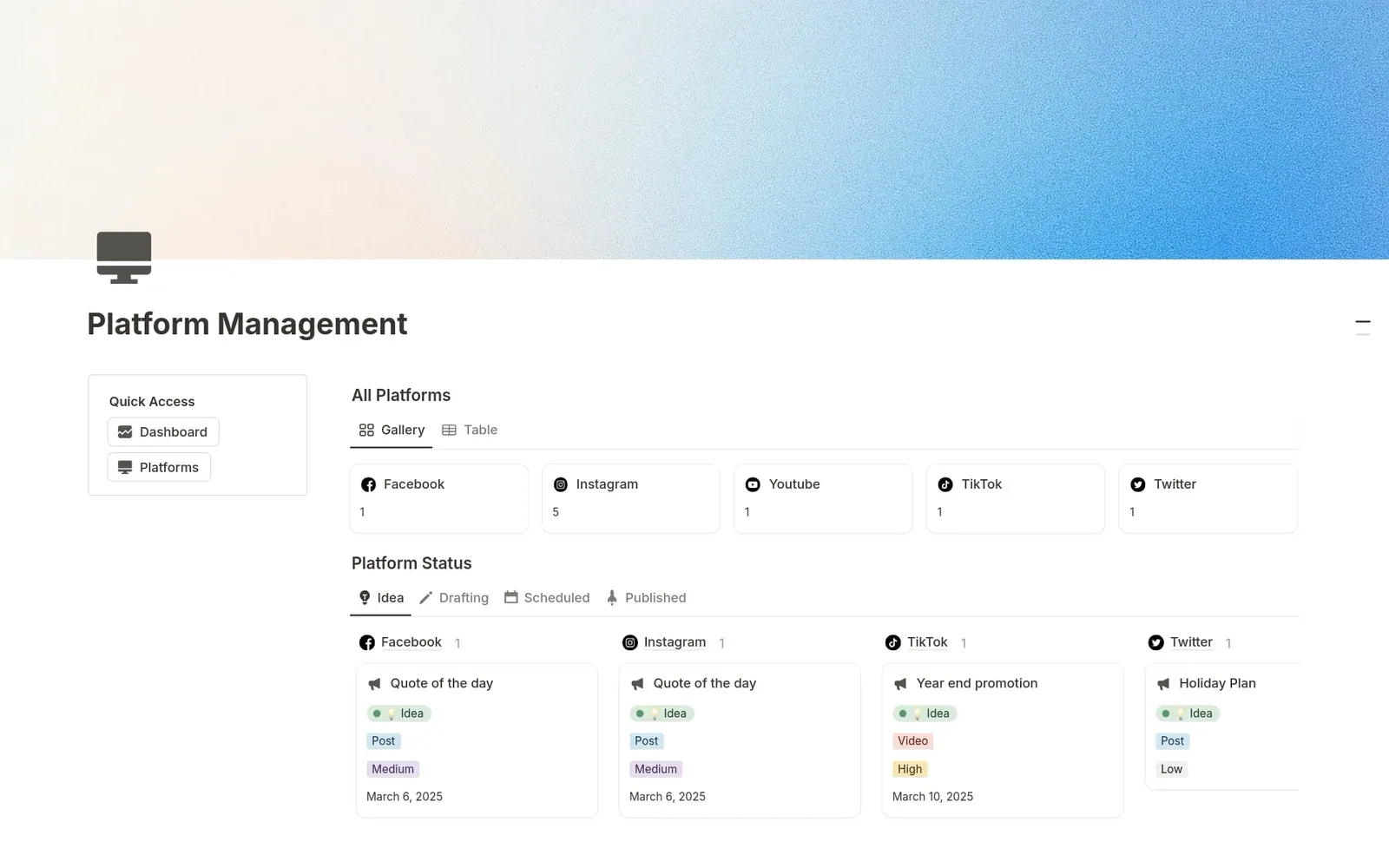
Questions
- What is this?
- A Notion planner for ideas, drafts, and publish dates. You duplicate it into your own Notion workspace. It does not post to social networks, and it does not pull numbers from them.
- What is inside?
- A Content Table and a Platforms database, a calendar, Go Live and Overdue views, and analytics tables that count your own rows. Statuses in the build are Idea, Drafting, Scheduled, and Published.
- What does it cost?
- It is free.
- Does it include automations or integrations?
- It has a Total Content count rollup, and date-filtered Go Live and Overdue views. Buttons, by name: Publish Now, and 5 other buttons. It does not post to the social networks, and it does not pull numbers from them. Analytics are counts of your own rows.
- Which platforms?
- You add them yourself as Platform rows. The listing shows Twitter, TikTok, YouTube, Instagram, and Facebook.
- What are the statuses?
- Idea, Drafting, Scheduled, and Published. The listing says Draft, but the build uses Drafting.
- Does it work on Notion's Free plan?
- Yes. There are no charts.