Template
Real Estate CRM
Every lead, listing and follow-up in one place.
Price
$19
The problem
Leads, properties, and follow-ups get split across texts and spreadsheets. This Notion CRM keeps contacts, properties, appointments, and tasks in one workspace, with a pipeline from New Lead through Closed Won or Closed Lost.
Who it's for
Real estate agents and property consultants, from solo agents to small teams.
What's inside
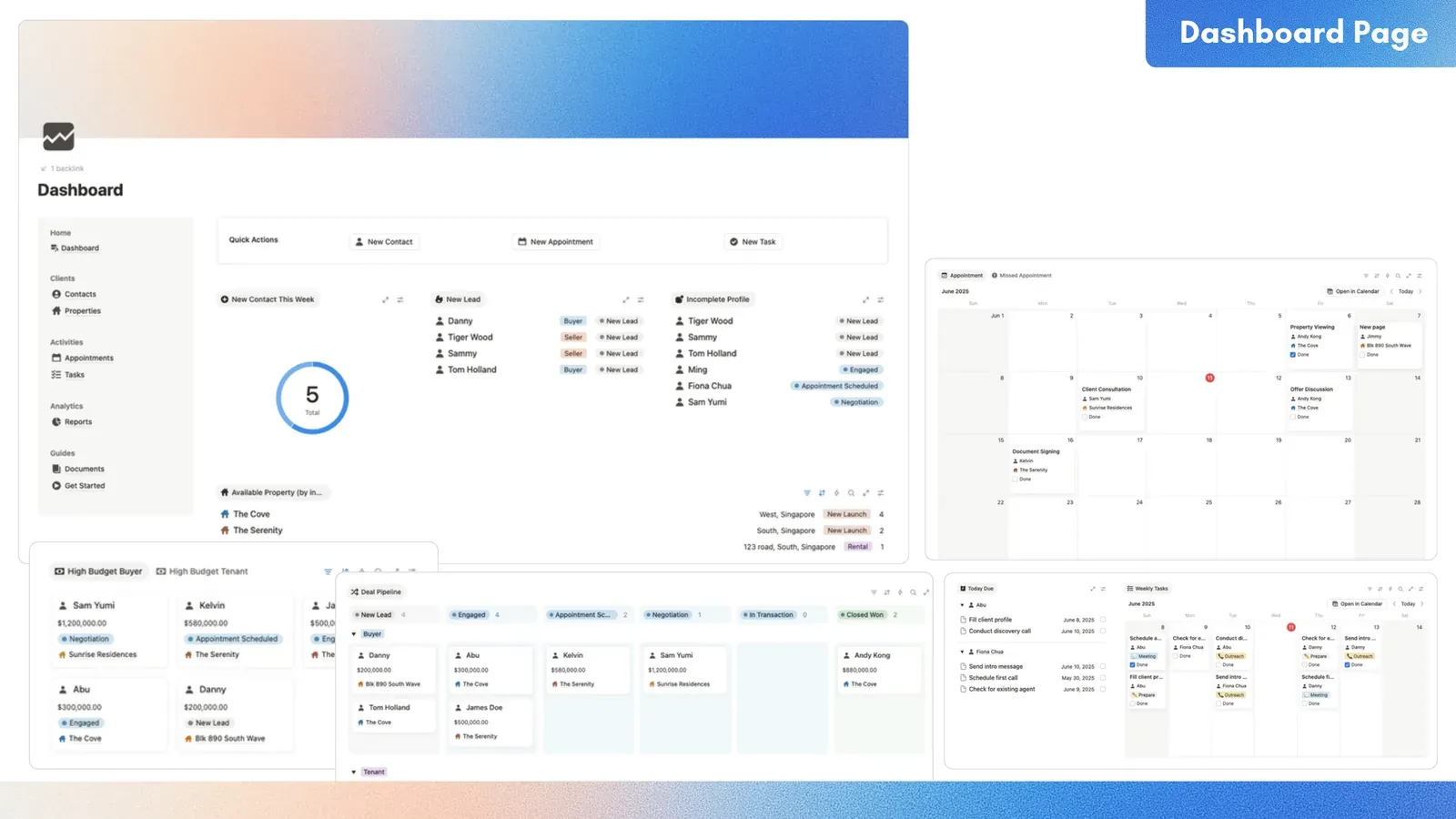
- Pages: Dashboard, Contacts, Properties, Appointments, Tasks, Reports, Documents (a Contact Stages playbook table), and Get Started.
- Contacts: Name, Client Type (Buyer, Tenant, Seller, Landlord), Email, Phone, Budget, Preferred Area (West, East, North, South, Central), Interested In and Owned (both link to Properties), Closed Date, and Status (New Lead, Engaged, Appointment Scheduled, Negotiation, In Transaction, Closed Won, Closed Lost).
- Properties: Property Type (Condo, Apartment, Landed), Listing Type (New Launch, Resale, Rental), Location, Status (Available, Reserved, Sold, Rented Out), Owner, and an Interested Contacts count.
- Appointments: Subject, Appointment Date, Contact, Done, Note.
- Tasks: Task, Type (Outreach, Meeting, Prepare, Admin, Close, Site Visit), Date, Done, Contacts.
- Dashboard views include a Deal Pipeline board (by Status, sub-grouped by Client Type), New Lead, Incomplete Profile, Available Property (by interest), an appointment calendar, Missed Appointment, Today Due, Weekly Tasks, four budget-ranked galleries (High Budget Buyer, High Budget Tenant, High Value Seller, High Value Landlord), and a New Contact This Week donut.
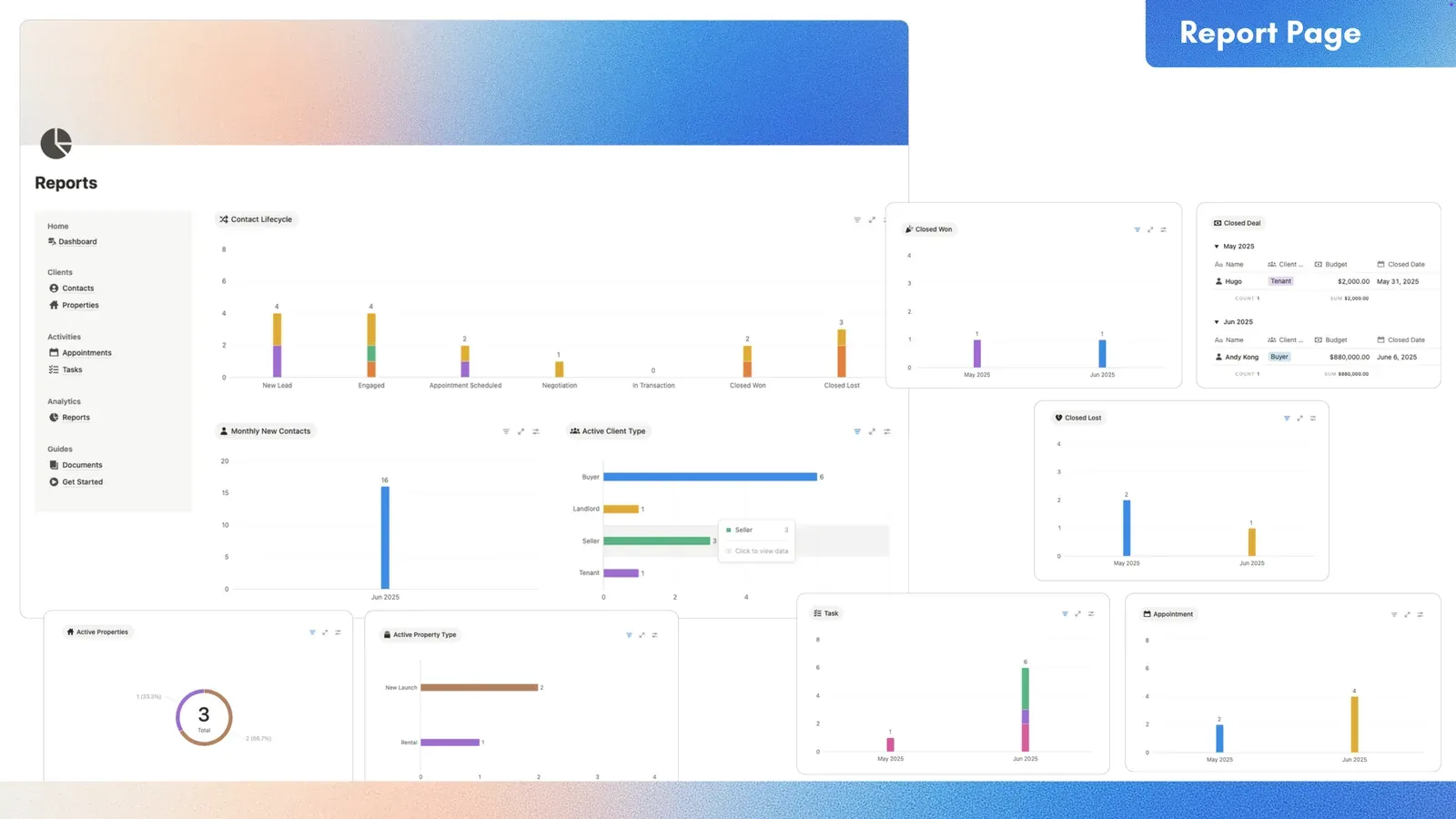
- Reports: 9 count charts and a Closed Deal table. With the dashboard donut, that is 10 count charts.
- Each contact page shows that contact's Appointment and Task tables.
- Buttons, by name: 3 Quick Action buttons on the Dashboard, and 6 Create Quick Tasks for status buttons on each contact page.
Screenshots
Questions
- What is this?
- A Notion CRM for real estate agents and property consultants. You duplicate it into your own Notion workspace.
- What is inside?
- Eight pages (Dashboard, Contacts, Properties, Appointments, Tasks, Reports, Documents, and Get Started) and four databases: Contacts, Properties, Appointments, and Tasks. The dashboard has the pipeline board and the daily work lists. Reports has 9 count charts and a Closed Deal table.
- What does it cost?
- It costs $19.
- Does it include automations or integrations?
- It has rollups (an Interested Contacts count on Properties, and Owned and Property rollups on Appointments), filtered views (Incomplete Profile, Missed Appointment, Today Due), and 10 count charts. Buttons, by name: 3 Quick Action buttons on the Dashboard, and 6 Create Quick Tasks for status buttons on each contact page. It has no deal value, commission, or property price field, and no sum charts. It does not track documents, offers, or messages. It does not sync a calendar, send email, or take payment.
- Who is it for?
- The listing says real estate agents and property consultants, from solo agents to small teams.
- Can I track buyers and sellers together?
- Yes. One Contacts database has four client types and a seven-stage pipeline. Contacts link to the properties they want or own.
- How do I start?
- Duplicate it, follow Get Started (it lists the four databases to clear), then add your contacts and properties.
- Does it work on Notion's Free plan?
- Yes, except the charts. Notion's Free plan shows 1 chart per workspace, and this template has 10. The listing says the charts need Notion Plus.