Template
Salon Client Manager
Every appointment, stylist and payment in one place.
Price
$15
The problem
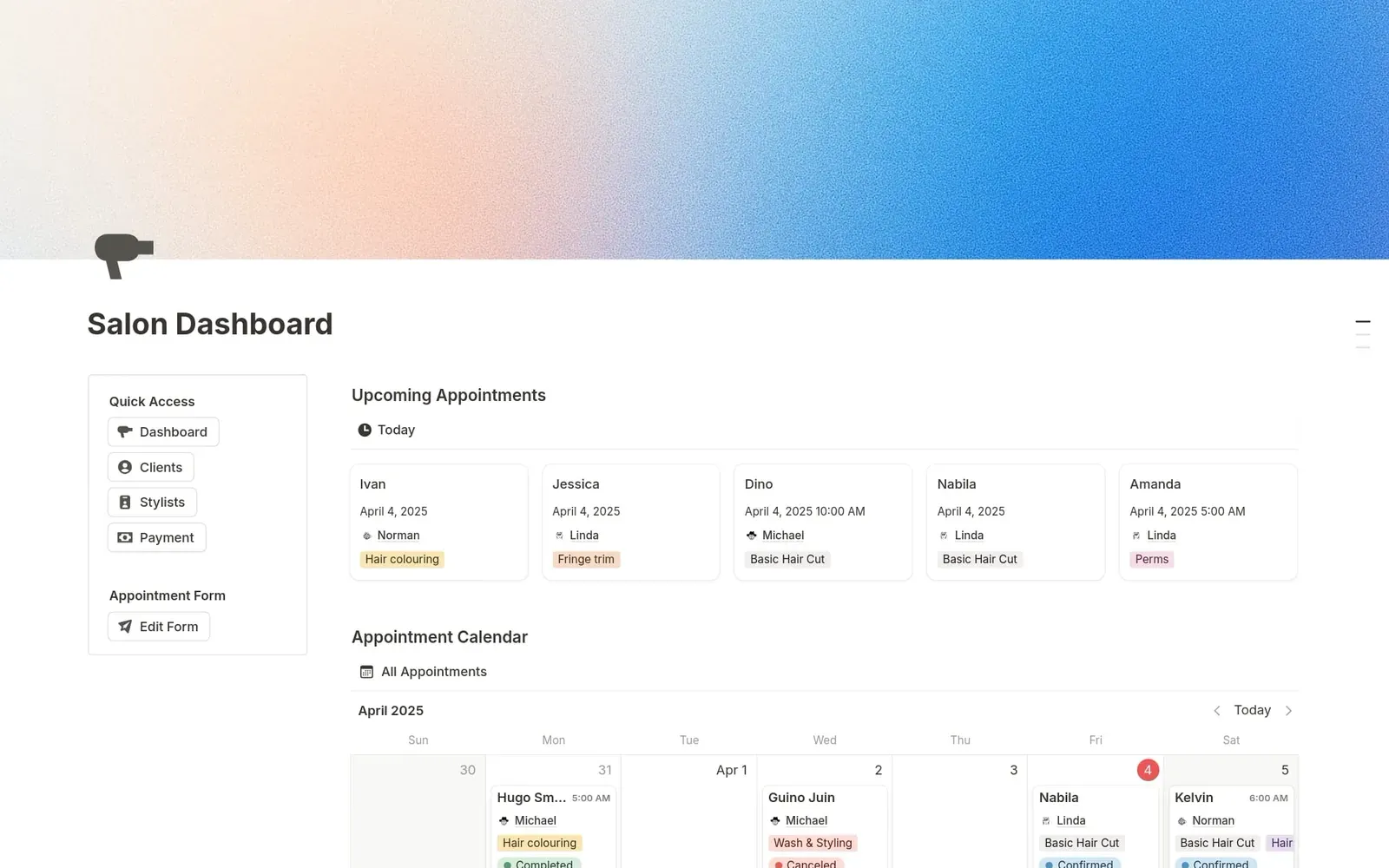
Appointment details get scattered across notebooks and phones. This template keeps each appointment's date, stylist, services, status, amount, and payment status in one Notion workspace, with a calendar, a today view, and a booking form.
Who it's for
Independent salons, stylists and beauty studios.
What's inside
- Pages: Salon Dashboard, Clients, Stylists, Payments, Appointments.
- Appointments database: Name, Appointment Date, Phone, Stylists, Services (Basic Hair Cut, Fringe trim, Hairstyling, Hair colouring, Wash & Styling, Perms), Appointment Status (New Appointment, Confirmed, Completed, Canceled), Amount, Payment Status (Pending, Paid), Submission time.
- Stylists database: Name, Experience (Junior, Senior, Director).
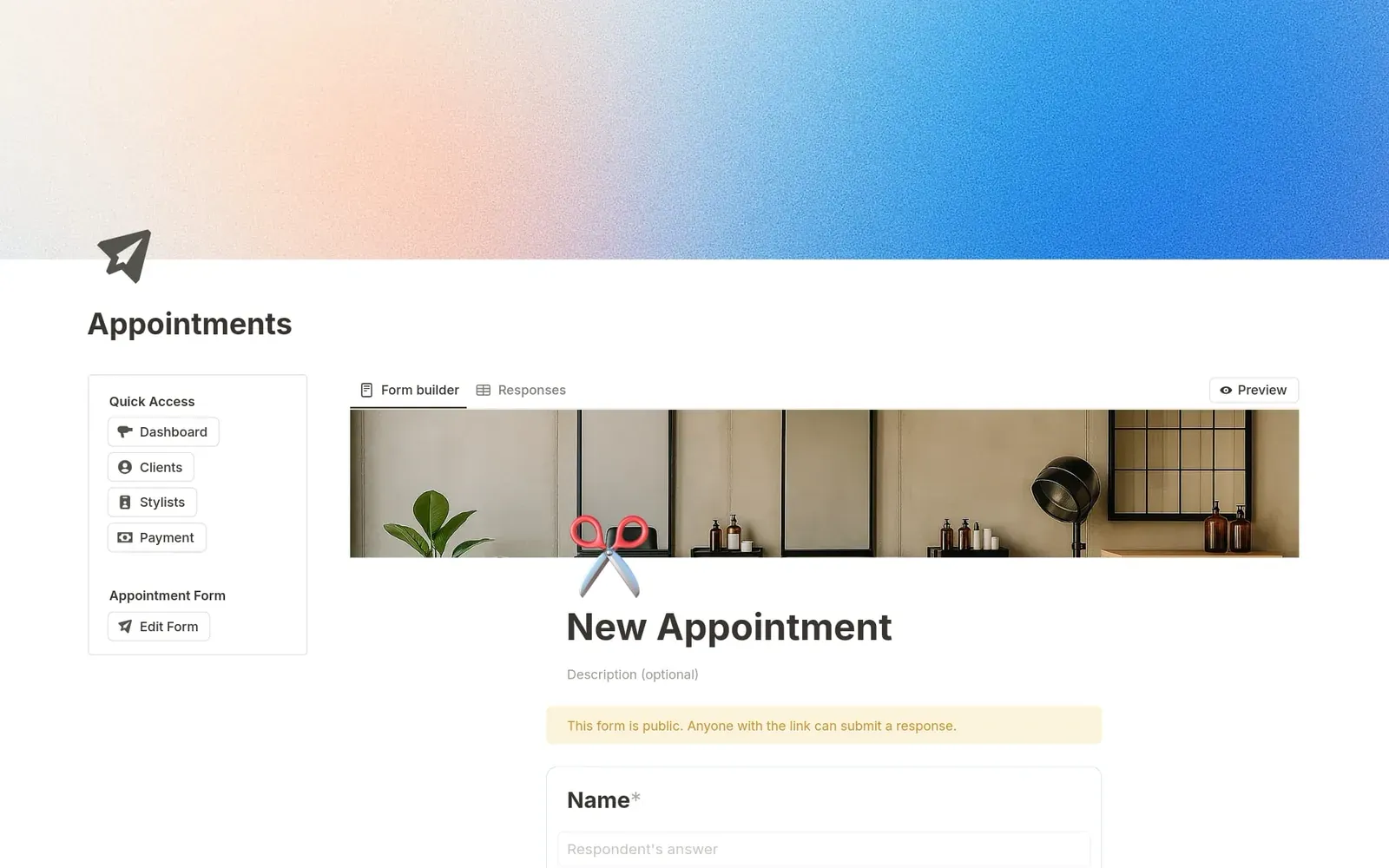
- A Notion form named New Appointment (name required, date, phone, stylist, services) with a Responses table.
- Dashboard: Upcoming Appointments (today), Appointment Calendar, and New and Confirmed boards by stylist.
- Clients is a status board and an All Clients table. Both are views of Appointments. There is no separate client database.
- Stylists is a gallery. Payments has Outstanding (Pending) and Total Sales (This Month, This Year, All).
- 14 views and no charts.
- 7 buttons, named Quick Access and Appointment Form.
Screenshots
Questions
- What is this?
- A Notion template for salon appointments, stylists, and payments. You duplicate it into your own Notion workspace. Clients and All Clients are views of the Appointments database. There is no separate client database.
- What is inside?
- An Appointments database (date, stylist, services, status, amount, and payment status), a Stylists database, a calendar, a today view, and a booking form named New Appointment. There is no separate client database, past visits are not stored on a client profile, and it does not send reminders.
- What does it cost?
- It costs $15.
- Does it include automations or integrations?
- The form named New Appointment adds rows to the Appointments database. Filtered views cover today, pending payments, and paid totals. There are 7 buttons, named Quick Access and Appointment Form. It has no notes, preferences, email, payment-method, or stylist-availability fields. It does not send reminders, sync a calendar, or take payment online.
- Can clients book themselves?
- There is a Notion form that adds appointment rows.
- Is there a separate client database?
- No. Each appointment row is one booking. Clients and All Clients are views of Appointments.
- Does it work on Notion's Free plan?
- Yes. There are no charts.
- How do I start?
- Add your stylists, then take bookings through the form or add rows yourself.